

Changes in Latitudes and Changes in Starlink for the Baja Ha-Ha
Baja Ha-Ha and Mexico cruising veteran Ed Lecco, of the Hylas 54 Voyager, sent us this recent update on Starlink for Baja Ha-Ha participants and cruisers heading south. His aim is to help people understand the current rates and options for managing Starlink while cruising.
Warning: This is a long outline, but I believe some may find it helpful.
Using Starlink on the Ha-Ha and not sure what subscription you need? My recent “bash” from Cabo to San Diego can provide some insight on what plan works best, as well as how we managed Starlink use and data on Voyager.
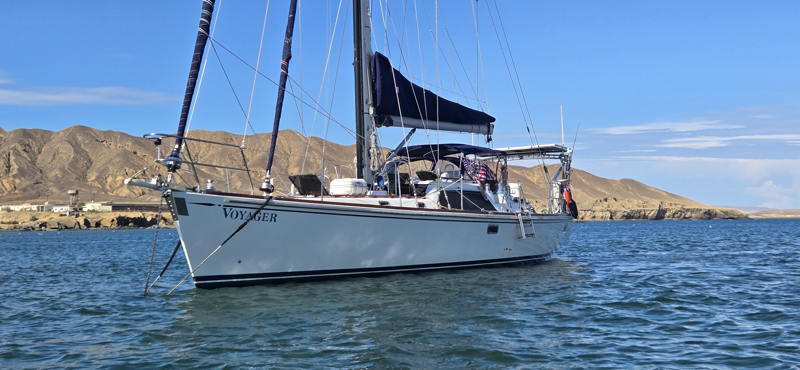
My Starlink is on a localized Mexican account. Most cruisers, unless you have a “Mexican” Starlink, will be on a US account. My overall costs will be lower, but Starlink charges the same for Ocean Data regardless of the service address.
We had three crew on the trip from Puerto Vallarta to San Diego. I have an Unlimited Roam account. This allows in-motion use on the water up to 12 miles off the coast of the Mexican border.
Anytime we were cruising 12+ miles offshore, I “Opted In” for Ocean Data. It can take up to 15 minutes to become effective. When we were within 12 miles of the border, I “Opted out” of Ocean Data. Note: When you opt in or out, make sure the website or app reflects what you just set. I often had to do it twice, immediately, but it works.
Devices: We all put our phones in low-data mode for Wi-Fi use, not just cellular. No updates, etc. If you are going to stream and an app allows, select lower quality. When devices were not needed, we turned them off (at least some of the crew, I think, did that; I did not).
During the trip, I made sure the crew was aware of what mode we were in (Ocean or Unlimited). Unlimited … stream away! We watched NFL football games in Turtle Bay during a weather layover. No extra costs, all covered under Roam Unlimited. We did not stream movies, etc. when under Ocean Mode (OK, to be transparent, I did once, but hey, I am paying for the Starlink).
Here is what our Ocean Data use looked like coming from Cabo:
Day 1: 8.5 GB
Day 2: 21 GB (I “had” to watch the latest episode of Lioness.)
Day 3: 12 GB
Day 4: 0 GB (Turtle Bay)
Day 5: 0 GB (Turtle Bay)
Day 6: 0 GB (Turtle Bay)
Day 7: 3.6 GB
Day 8: 13 GB
Day 9: 0 GB (last leg was close to shore into Ensenada)
Ocean Data currently costs $2 per GB. We used 58.1 GB for a cost of $116 USD. Add that to a USA Starlink Unlimited Roam plan and it’s not a bad deal.
On the Ha-Ha, Ocean Data costs are going to be $6 per GB, so $348 USD.
For most Ha‑Ha participants, I would frame the advice this way:
* Just making the passage and reaching Cabo: Keep the US Roam plan and enable $6/GB Ocean Data only when you need it.
* Remaining in Mexico longer than 30 consecutive days: US Roam Unlimited now becomes problematic because Starlink limits foreign-country use to 30 consecutive days. [Users] must return to the US, legitimately move the terminal to a Mexican account, or consider Personal Maritime. Starlink Roam travel rules.
* Localize your dish as a Mexican Roam or Residential (if in or near a marina) — may be considerably cheaper. Use of a marina address and a new email account to attach the new subscription is all you need. You can pay with your US credit card (I did this).
* Boat under 60-ft without a Mexican-account option: The US Personal Maritime plan may be the cleanest long-term cruising arrangement because it eliminates the 30-day foreign-country problem — but Ocean Data still costs $6/GB.
* Heavy offshore users: Compare Global Priority, particularly the 50-GB configuration, rather than automatically buying 500 GB.
Ed and crew will be in San Diego to sail south with the rest of the 2026 Baja Ha-Ha fleet. To sign up for this year’s Baja Ha-Ha, click here.
There is now a Starlink Personal Maritime plan as well. It negates the 30 day window for other countries but still only gives you unlimited access in territorial waters. To get this plan you have to contact Starlink support via a ticket. If you plan to stay out of the US longer than 30 days this could be a good option.